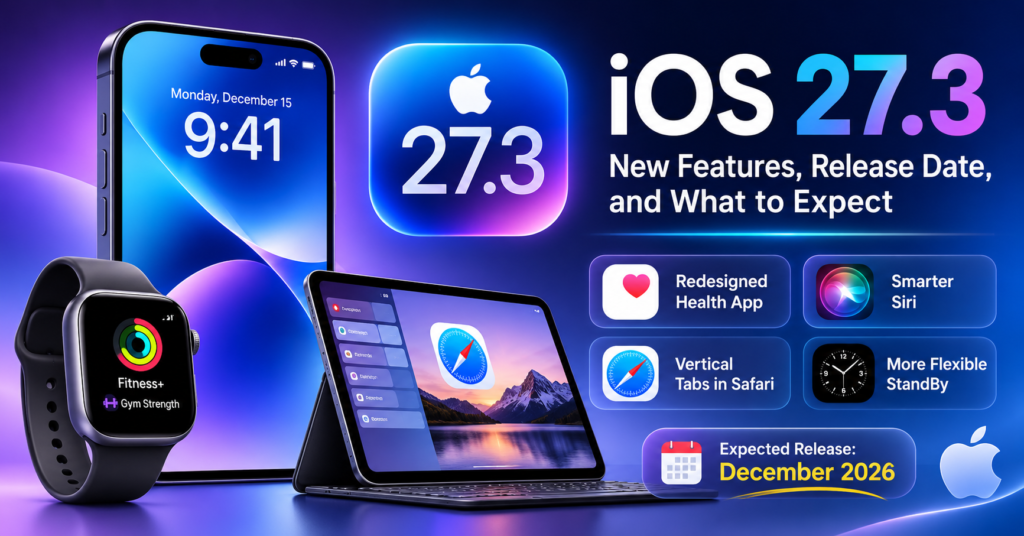
iOS 27.3: New Features, Release Date, and What to Expect
iOS 27.3 brings a redesigned Health app, smarter Siri, and Safari upgrades. See the new features and when the update is expected.
Introduction
Apple has been busy. The iPhone Duo arrived, iOS 27.2 followed, and now the company is testing iOS 27.3. If you want to know what the next big update will change on your phone, you’re in the right place. iOS 27.3 is shaping up to be one of the more substantial point releases in recent memory, with a long-awaited Health app overhaul, a more capable Siri, and a handful of changes that touch everyday apps like Safari and Music.
In this guide, I’ll walk through what iOS 27.3 includes, when it’s likely to land, and how to decide whether to try the beta now or wait for the finished version.
What Is iOS 27.3?
iOS 27.3 is the third major point update to iOS 27. The numbering looks odd, so a quick explanation helps. iOS 27.1 was exclusive to the iPhone Duo, which means most iPhone owners never saw it. For everyone else, iOS 27.3 is effectively the follow-up to iOS 27.2, the kind of mid-cycle update Apple usually ships in December.
Apple seeded the first developer beta on November 3, 2026, alongside matching releases for iPadOS and watchOS. That early build already contains most of the headline features, though Apple typically tunes things in later betas and then focuses on bug fixes and stability.
iOS 27.3 Release Date
Apple hasn’t named an exact day yet. What we do know is that the company has said iOS 27.3 will reach all users in December, once beta testing wraps up. That fits the usual rhythm. Past x.2 updates have landed between December 11 and December 12, which is why many outlets expect iOS 27.3 around the middle of the month.
Treat that as an educated guess rather than a promise. Apple can shift dates if testing turns up problems. If you want the update the moment it’s ready, keep an eye on Settings, General, then Software Update during the first half of December.
Main iOS 27.3 Features
Now for the part most people care about. Beta 1 brought a long list of changes, and a few of them are big enough to change how you use your phone every day.
The Redesigned Health App
The headline feature is a rebuilt Health app. Apple previewed it across several iOS 27.2 betas, and it’s now back in iOS 27.3 with a clear signal that it will ship to everyone before the year ends. The goal is to make your health information easier to find and manage. If you’ve ever dug through menus just to look at a trend, that’s a welcome promise.
Siri AI Gets More Capable
Siri is the other big story. In iOS 27.3, Siri AI can take actions inside apps such as Calendar, Journal, Messages, and Music. Instead of only answering questions, it can start doing things for you. You can even ask Siri what it’s able to do in a supported app, which makes discovering new abilities much easier than guessing.
Language support is growing too. Siri AI now covers Traditional Chinese, Vietnamese, Turkish, and Norwegian, which opens the feature up to a lot more people.
Safari Gets Vertical Tabs
If you keep dozens of tabs open, Safari’s update will matter to you. iOS 27.3 adds vertical tabs and an adaptive dark mode, among other tweaks. Vertical tabs have been popular on desktop browsers for a while, because a sidebar list is easier to scan than a row of tiny tabs. Having it on iPhone should make heavy browsing less chaotic.
StandBy and iPhone Duo Changes
StandBy mode on standard iPhones now behaves more like the version on the iPhone Duo. The clock faces are far more customizable. You can set up several configurations of the same face and swipe between them, then adjust colors and complications in a way that feels similar to Apple Watch faces. If your iPhone sits on a nightstand or desk charger, this makes it a more personal display.
The iPhone Duo itself gets a few refinements. The software keyboard now uses slightly narrower keys and a slightly smaller font, which should help on a wide screen.
Reachability on iPhone Duo
The Duo also gains its own take on Reachability. On tall phones, Reachability shifts content down the screen so you can reach the top. On the Duo, it shifts content from the left or right across the display instead, which suits the wider shape and makes one-handed use more realistic.
Apple Watch, Fitness+, and Music Extras
A few features reach beyond the iPhone. Apple Watch gains Audio Intelligence tools, including Siri Recap and Live Rewind, which you can test through the watchOS 27.3 beta paired with the iOS beta. Apple Fitness+ is adding Gym Strength workouts. Over in Apple Music, the update highlights an improved Auto Mix, reimagined Artist Pages, and concert suggestions based on what you listen to.
iPad owners get something too. iPadOS 27.3 adds Siri Mode in the Camera app and Visual Intelligence with Apple Pencil support.
How to Install the iOS 27.3 Beta
Installing the beta is simple, though you should do it carefully. Open Settings, tap General, then Software Update. Under Beta Updates, choose the iOS 27 Developer Beta. A public beta usually follows a few days after the developer release, which is a gentler option for people who aren’t developers.
Before you tap anything, back up your phone. Betas can have bugs, and a backup gives you a way back if something breaks.
Should You Install the Beta?
That depends on how much you rely on your phone. If it’s your main device for work, banking, or two-factor codes, waiting for the finished release is the safer move. Beta software can drain the battery faster, crash apps, or behave unpredictably. If you have a spare iPhone, or you simply enjoy trying new features early, the beta is a fun way to preview what’s coming.
There’s also a good argument for patience: the Health redesign has already been through several test cycles, and Apple plans to ship it this year anyway. Waiting a few weeks costs you very little.
Conclusion
iOS 27.3 is more than a routine update. The redesigned Health app, a Siri that can act inside your apps, Safari’s vertical tabs, and a more flexible StandBy all add real value, and the Apple Watch, Fitness+, and Music changes round things out. Expect the public release in December, probably around mid-month, though Apple hasn’t confirmed a date. Until then, you can try the beta if you’re comfortable with some risk, or simply wait and update when the stable version arrives.
Frequently Asked Questions
Apple has said iOS 27.3 will launch to everyone in December after beta testing ends. Based on past x.2 releases, mid-December is the most likely window, but no exact date has been announced.
Most coverage points to the redesigned Health app. It was previewed in earlier iOS 27.2 betas and is now set to ship with iOS 27.3. The expanded Siri AI abilities inside apps like Calendar, Messages, and Music are a close second.
iOS 27.1 was exclusive to the iPhone Duo, so other iPhone owners skipped it. That makes iOS 27.3 the practical equivalent of iOS 27.2 for them, which is why the December timing matches a typical x.2 update.
It’s safe enough for many people, but not risk-free. Betas can contain bugs that affect battery life and app stability. Back up your iPhone first, and avoid installing the beta on your only device if you depend on it daily.
Yes. iPadOS 27.3 adds Siri Mode in the Camera app and Visual Intelligence with Apple Pencil support. The watchOS 27.3 beta brings Siri Recap and Live Rewind, plus Fitness+ gets new Gym Strength workouts.